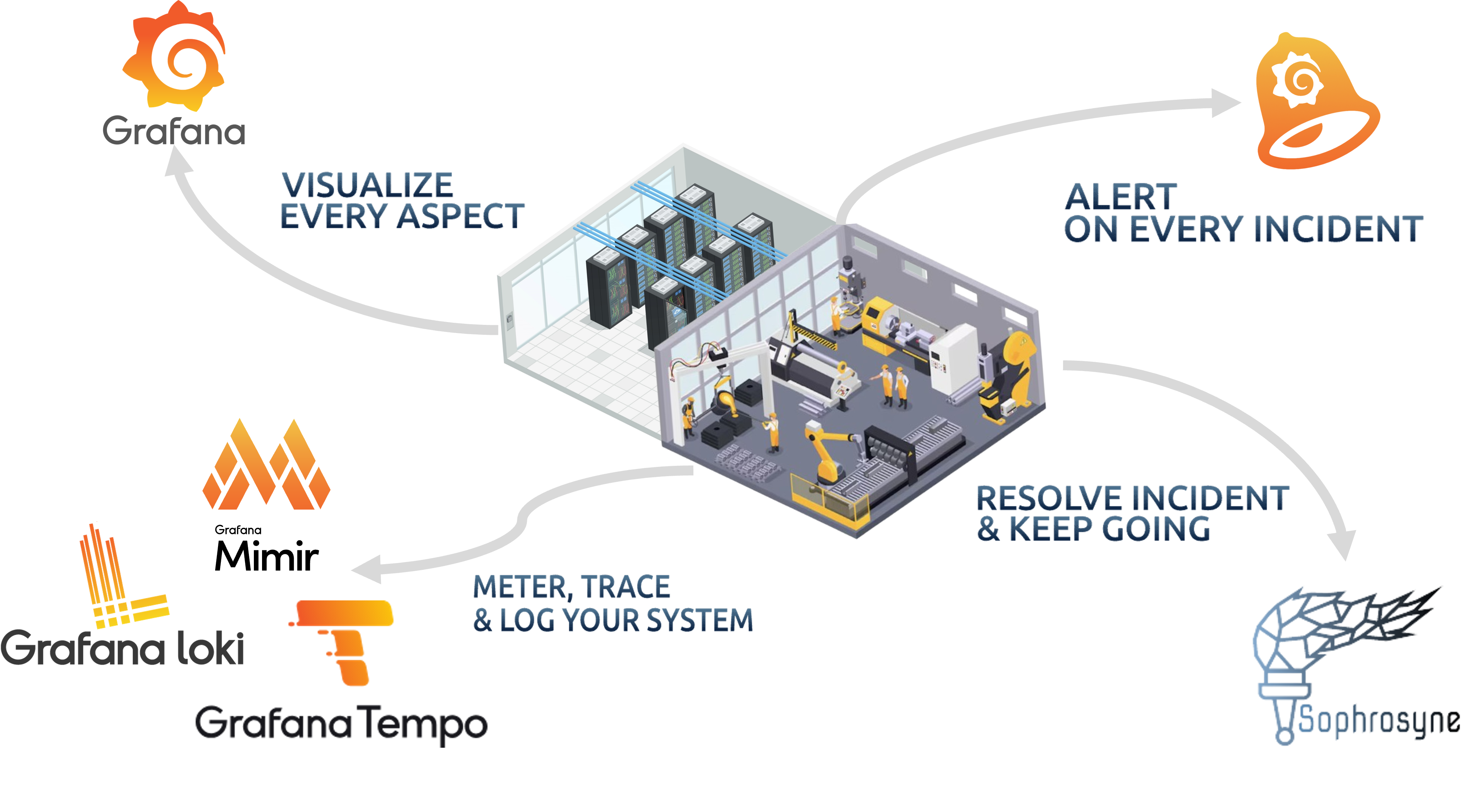
Create action recommendations for your alerts to enhance the efficiency of your service personell.
Sophrosyne is an open-source automation platform that enhances alert management by bridging the gap between monitoring and action.
It allows your infrastructure to automatically evolve by reacting to alerts or events using custom commands, scripts, or software. Where automation cannot be applied (e.g., hardware incidents), Sophrosyne delivers precise recommendations to your support teams.
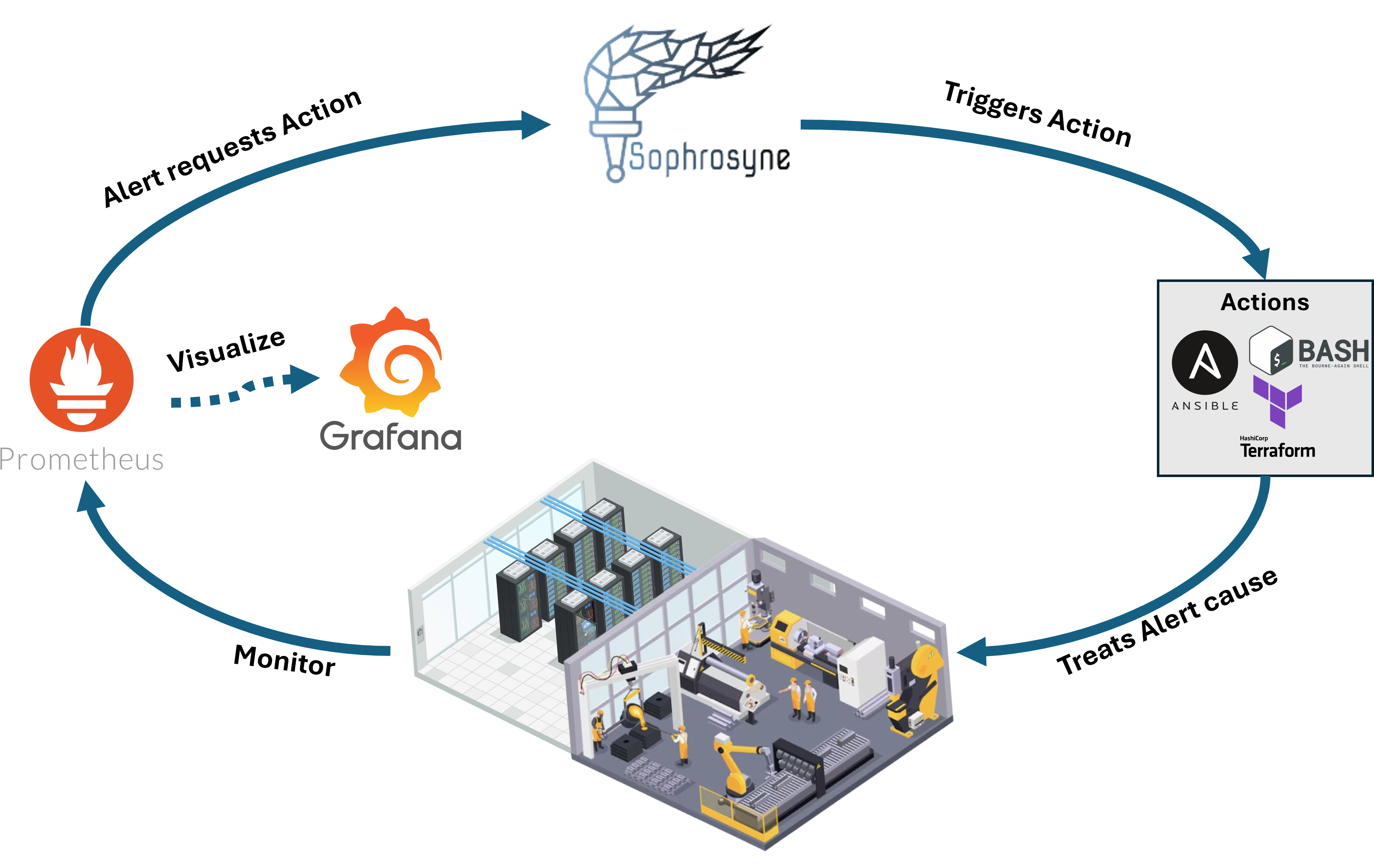
Sophrosyne supports Actions, which are any pieces of software or commands designed to counter the source of an alert.
Two Types of Actions:
Simple Action – Executes a fixed remediation without parameters.
Dynamic Action – Allows parameter passing at execution time for flexible responses.
Actions can be triggered:
- Automatically by REST Calls (e.g., from Prometheus webhooks).
-Manually via Sophrosyne’s Web Interface.
Action Confirmation Requests
Some actions may require an additional confirmation before execution.
These are managed through the Action Confirmation Menu, ensuring controlled and safe automation.
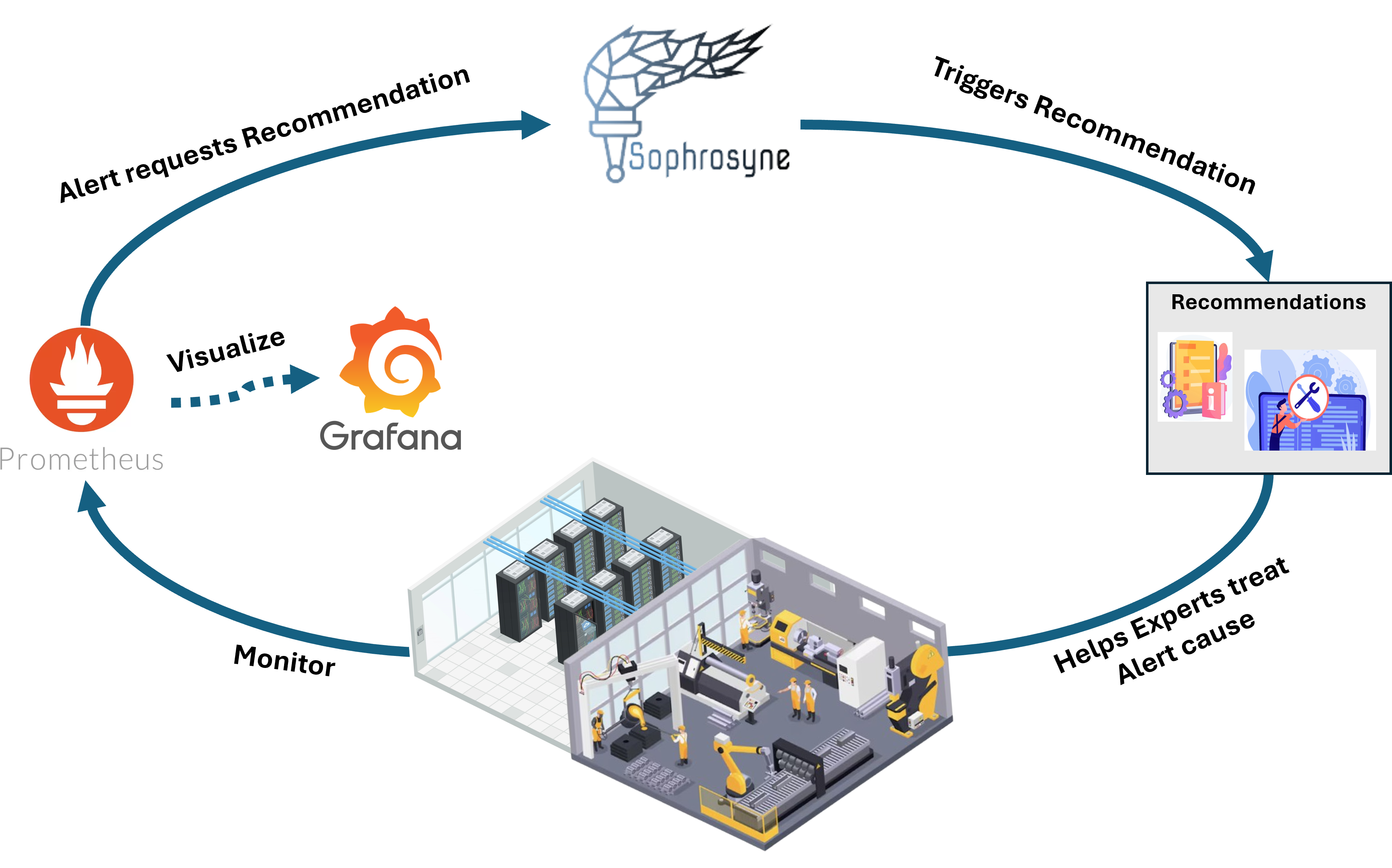
Not all incidents can be resolved by code.
For hardware issues or cases requiring manual intervention, Sophrosyne provides Action Recommendations.
These recommendations:
- Are triggered the same way as automated actions.
- Deliver targeted and helpful information to support teams.
- Can define responsible personnel, include HTML-rendered instructions, and attach supporting documents.
When Sophrosyne is in active use, the number of Actions and Dynamic Actions can quickly increase. Additionally, access control is often required so that not every user can trigger every action. To address this, Sophrosyne provides the Control Panel.
The Control Panel consists of dashboards that group together selected Actions and Dynamic Actions. These dashboards are managed by administrators and assigned to individual users or groups of users. This structure ensures clear access control and provides users with a clean overview of the actions they are permitted to execute.
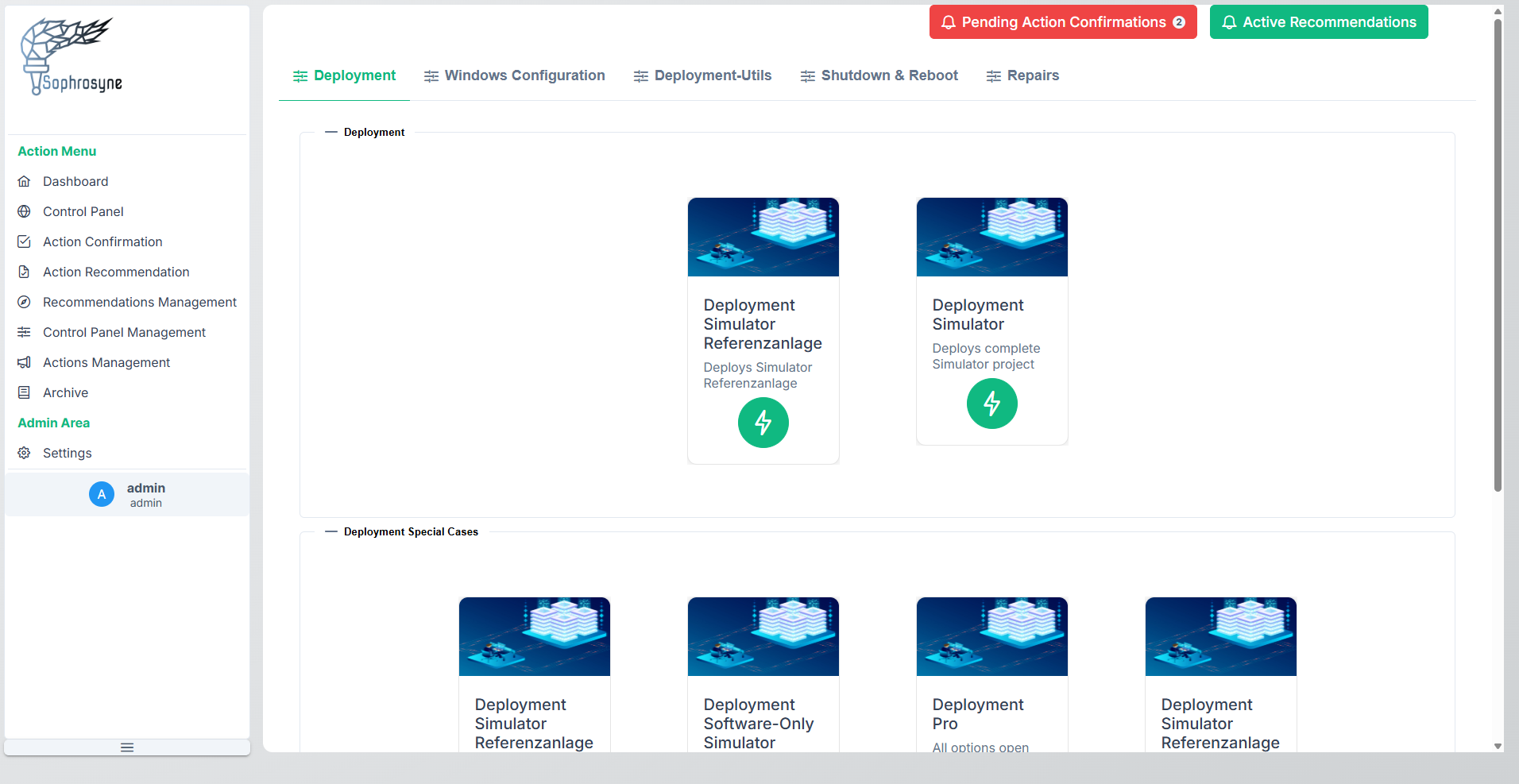
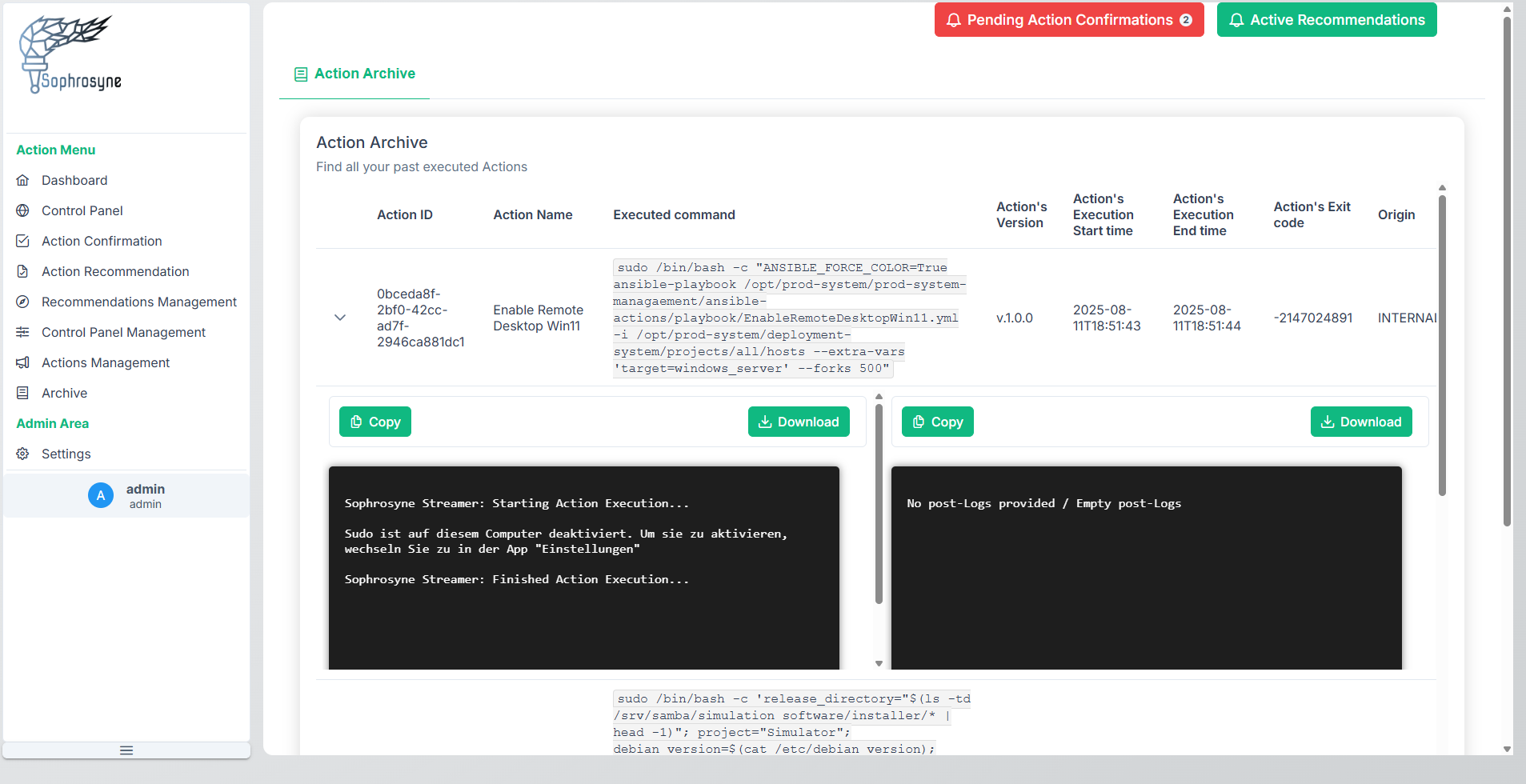
Sophrosyne uses two types of executable elements to counter Alerts: Actions and Dynamic Actions. Both can be triggered automatically (via REST) or manually (via WebUI). The main difference is whether parameters shall be passed at trigger time. You can follow the the complete Action execution command output live while Actions are running. Furthermore, you can find all relevant metadata related to the executed Action later on in the Action Archive as well as the complete command output.
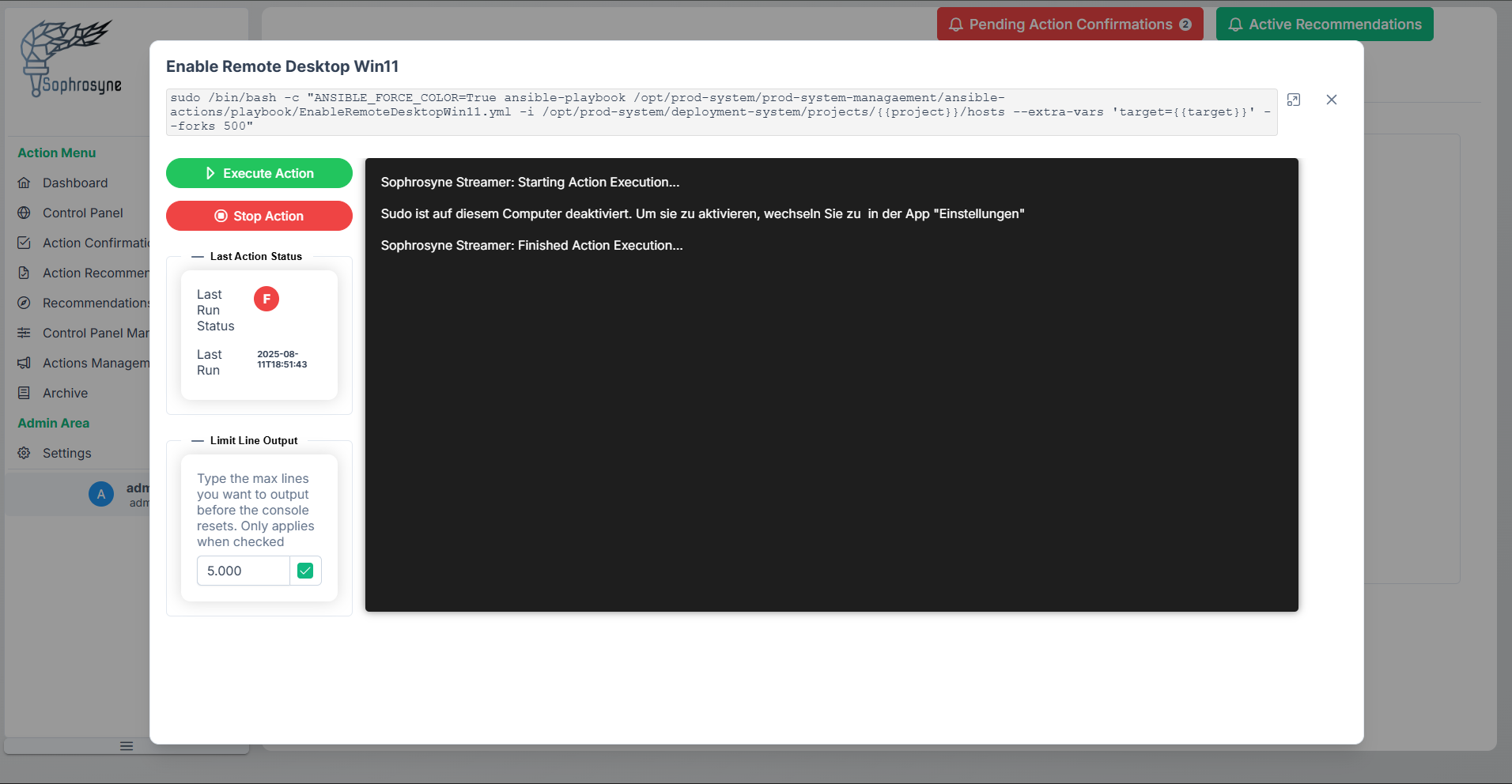
All executed Actions are stored in the Action Archive so you can fully transparent trace back all attempted System executions with relevant metadata such as exit codes, triggered time and finish time. Additionally, you can see and download the command output or user defined post-logs for further debugging.